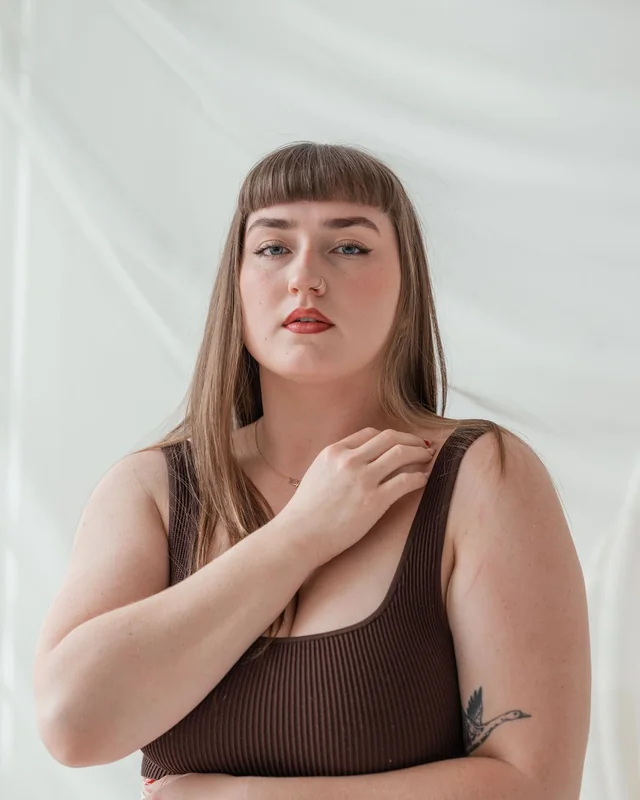
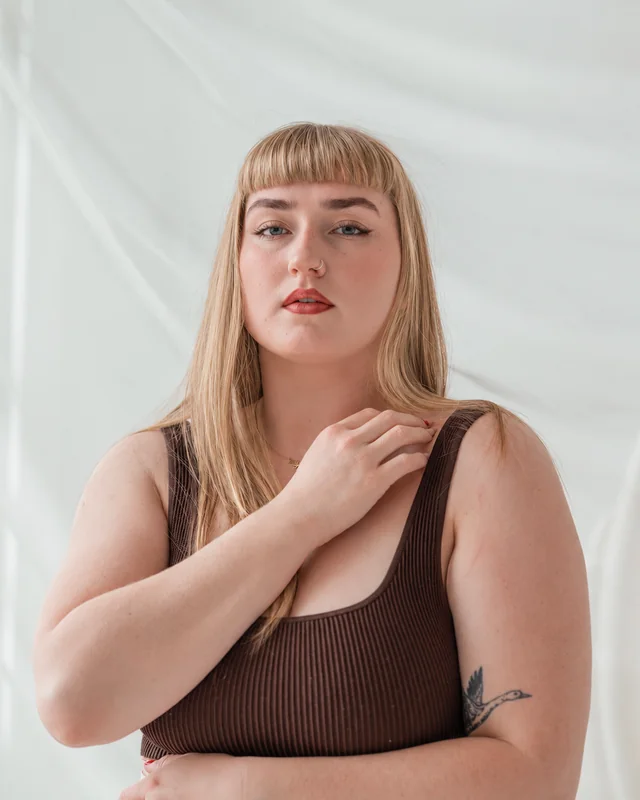
01 / Honey blonde
A little honey, a lot of sunshine
A warm blonde refresh with the same haircut and bangs.
New shade.
Same wonderful you.
Copper curious? Ready for blonde? Upload your photo and see a new hair color on you before making the salon appointment.
Free account · Private results · A little room to play
Same starting photo. A totally different possibility.
A warm blonde refresh with the same haircut and bangs.
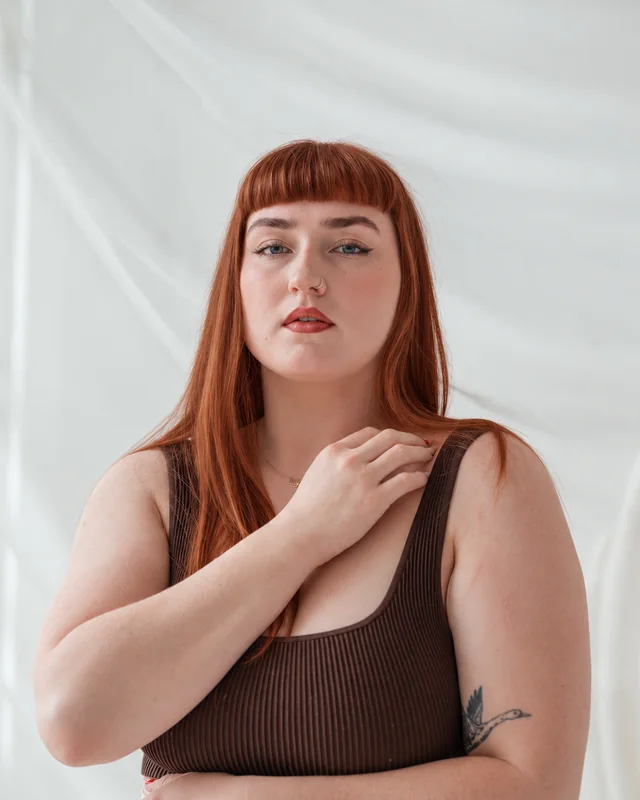
Rich copper color, without a single drop of dye.
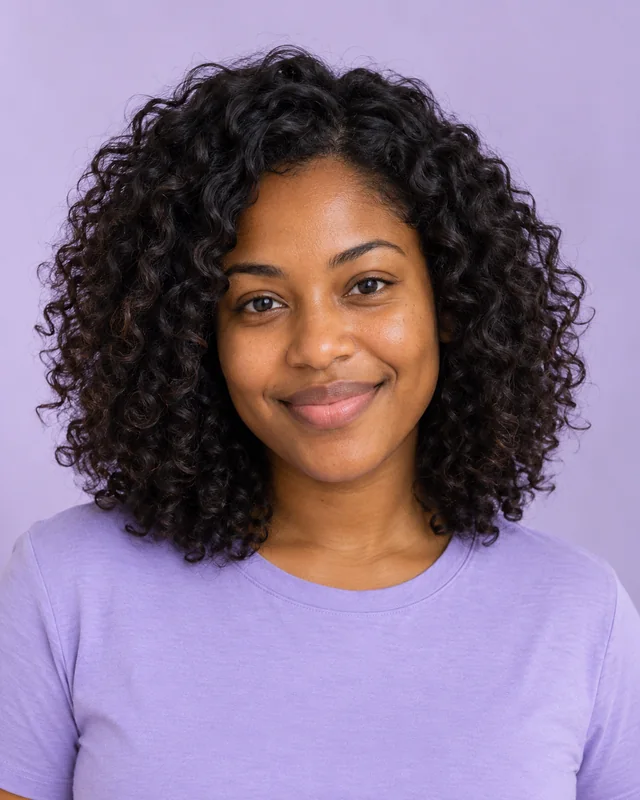
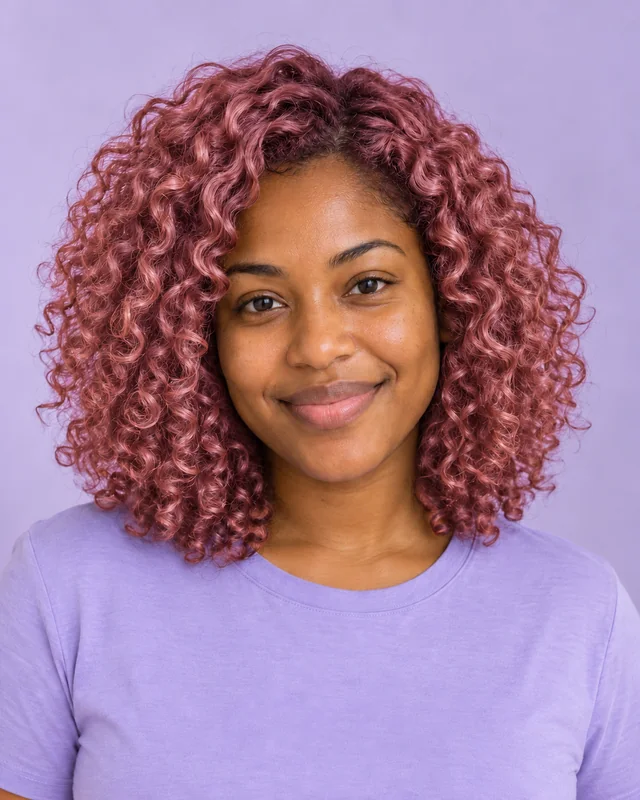
A playful pink shade that keeps those curls in the picture.
Illustrative AI edits made with Codex image generation. Original stock photos from Pexels; some originals are AI-generated. Examples are not user uploads or guaranteed results. Image credits & sources ↗
Pick a photo, follow your curiosity, and let’s see what happens.
Add your photo or borrow an example.
Your new look will pop up here.
AI previews can change details and likeness. Use the result for inspiration.
Use a well-lit photo with all of your hair visible. Start with a JPG, PNG, or WEBP, or borrow a gallery example.
Choose a style and tweak the details. Sign in, then press the create button for one fresh AI preview.
Switch between your original and result, download a favorite, or keep the same photo and try a different style.
Our AI hair color changer edits your uploaded photo so you can explore a new shade with your own face and haircut. Compare honey blonde, chocolate brunette, copper red, rose pink, or silver ash. Add highlights, balayage, or an all-over color and use your favorite preview to talk through ideas with your colorist.
Let’s try your idea ↗Our journal is coming soon. Until then, there’s plenty to play with in the studio.
Little answers before your next big idea.
Upload a photo, choose a style, and request an edit. AI Hair Color Changer uses your uploaded image as a reference, together with the selected options, to create a new image. It edits the photo rather than starting from text alone.
Yes. Choose “Use this example” on a before-and-after card to load its source photo and style into the editor. Loading an example is free and does not generate another image. Sign in and press the create button only when you want a new edit.
Use a well-lit photo with all of your hair visible. Keep filters off so your starting color is accurate. Try one shade, then compare another using the same original.
No. Your own source photo is sent to OpenAI for your requested edit and is not saved by this application. Generated results are private to your account for up to 30 days. The examples on this page are separate, public demonstration images.
You can make up to three successful or pending edits per account per UTC day, subject to shared capacity. No payment information is requested. Each new generation uses one edit; browsing the examples does not.
No. The gallery contains illustrative AI edits created with Codex image generation. Your result depends on your photo, settings, and the live editing model, and may change details or likeness. Use the preview for inspiration.